Map each item you sell in Square or Union to a recipe. Every night, Mays takes that recipe's ingredients out of stock for everything you sold.
Before you start:
- The location's POS is connected: Square or Union POS. See Connecting Square and Integrations overview.
- Your recipes are built. See Recipes and plate costing.
- Sale items show up here once they've sold and the sales have synced. An item nobody has bought yet isn't listed.
Where: Inventory → POS (under Analysis) on the web. The page is called POS Mapping & Depletion and has three tabs: Items, Modifiers and Depletion. Mappings belong to the location you're on.
Map sale items to recipes
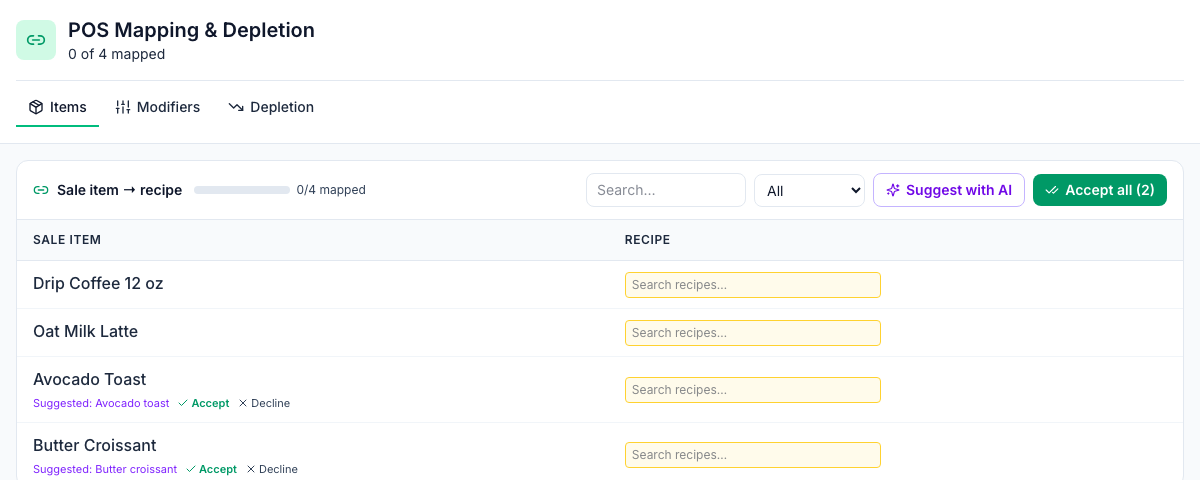
- Open the Items tab. Each Sale item from your POS has a Recipe box, and the bar at the top shows how many are mapped, for example 2/4 mapped. Under the page title, the count covers sale items and modifiers together, for example 2 of 4 mapped.
- For each sale item, click Search recipes… and pick its recipe. It saves straight away.
- A sale item whose name matches a recipe exactly shows Suggested: with Accept and Decline.
- For the rest, click Suggest with AI. Suggestions appear the same way, with how sure the AI is.
- Click Accept all to accept every suggestion shown.
Use the filter (All, Unmapped, Suggested, Mapped) and the search box to work through a long menu.
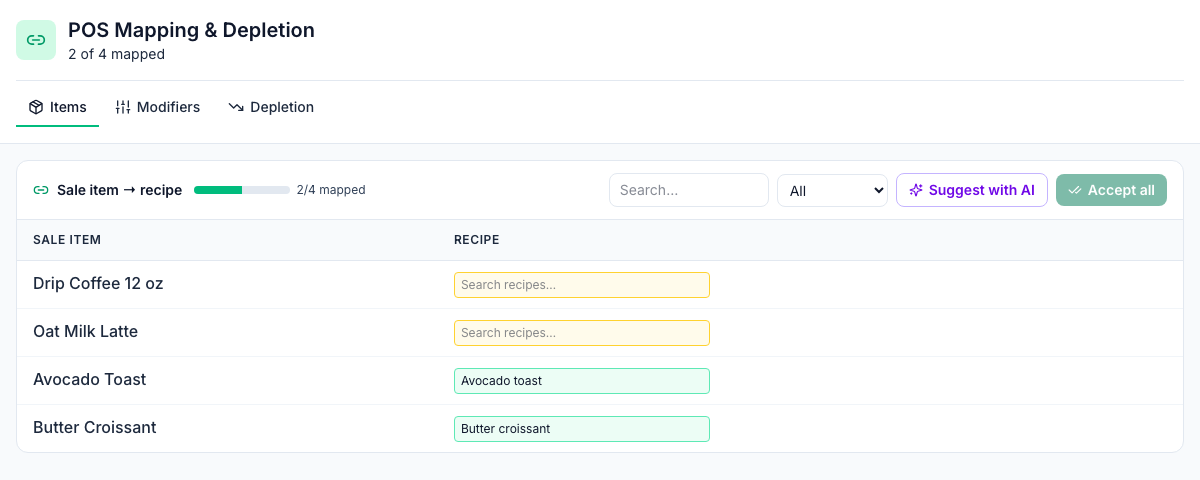
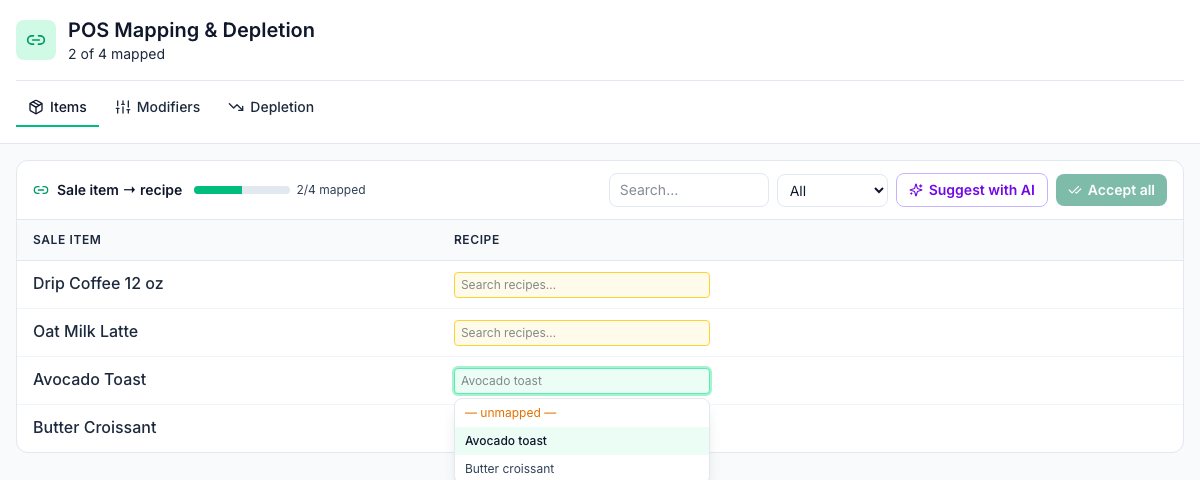
To unmap a sale item, click its recipe box and choose — unmapped — at the top of the list. Its sales stop taking anything out of stock.
Modifiers: the Modifiers tab works the same way for the add-ons and swaps on your POS, such as an extra shot. Map each one to a modifier from Inventory → Modifiers (see Menu lists and modifiers). A modifier counts once for each item it's added to.
How depletion works
- Every night, at 1 a.m. Eastern (midnight in winter), Mays goes through the last three days of sales at every location with at least one mapping. The days follow each location's time zone, here and on the Depletion tab.
- For each item sold, it takes the mapped recipe's ingredients out of stock on hand: the quantity sold × each ingredient's amount, converted to the item's count unit and divided by its yield.
- Cancelled orders are skipped. Items that aren't mapped don't change stock.
- Running the same days again replaces what was there, so nothing is taken out twice.
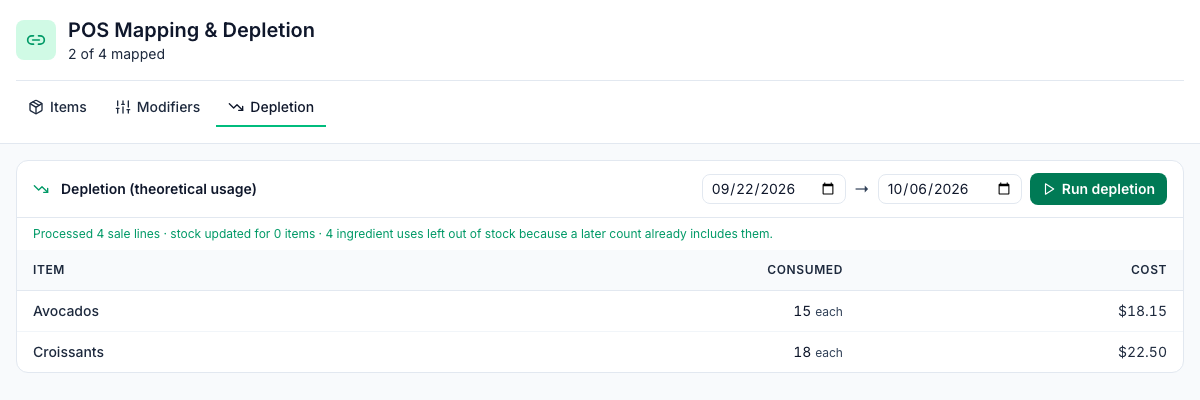
To run it now, open the Depletion tab, pick the dates and click Run depletion. The tab lists each ingredient's Consumed amount and Cost for the dates you pick. This is your theoretical usage. See Theoretical vs actual usage.
The message after a run says how many sale lines it went through, how many items' stock changed, and how many ingredient uses it left alone because a later count already includes them.
Counts and sales
Count whenever it suits you, at close included.
- When you submit a count, Mays first takes every sale made so far out of stock, so the count's Expected already has the day's sales out and Variance shows only what's really missing.
- Overnight, sales made before an item's last count aren't taken out of stock again: the count already reflects them. They still count as usage on the Depletion tab and in your food cost.
- Sales made after the count come out of stock as usual.
The same goes for setting on hand by hand on Inventory → Stock.
Good to know
- Changing or removing a mapping: pick a different recipe, or — unmapped — to remove it.
- Deleting a recipe removes its mappings. Its sale items show as unmapped again, and their sales stop taking anything out of stock.
- Stock can go below zero when sales use more than the last count showed. Your next count sets it right.
- The page's empty message mentions Square only; Union POS sales work too.
- If a change doesn't save, a message says why, for example when the location isn't one of yours.
- AI suggestions don't use AI credits.