Group recipes into menu lists, such as Drinks or Food, and compare each list's food cost % with a target. Modifiers cost the add-ons you sell, like an extra shot.
Where: Inventory → Menu Lists and Inventory → Modifiers on the web, for the location picked in the sidebar. Admins, and managers at their own locations.
Before you start: build your recipes. See Recipes and plate costing.
Menu lists
The Menu Lists page shows each list's number of Recipes and Modifiers, its Target % and its Actual %. Actual % is green when it's at or under the target and red when it's over.
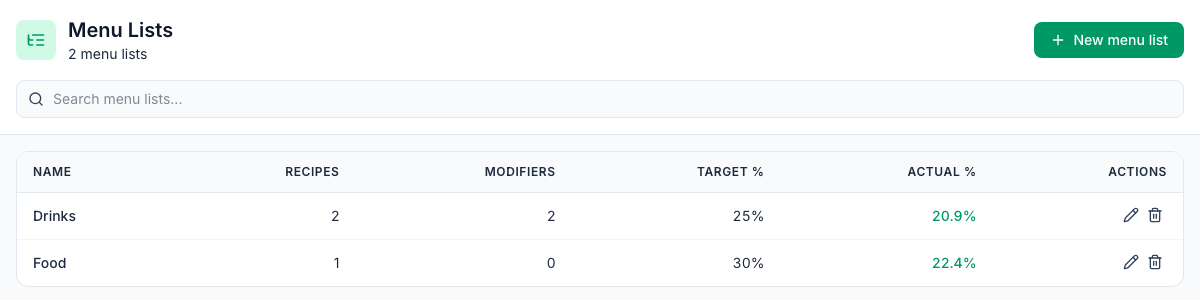
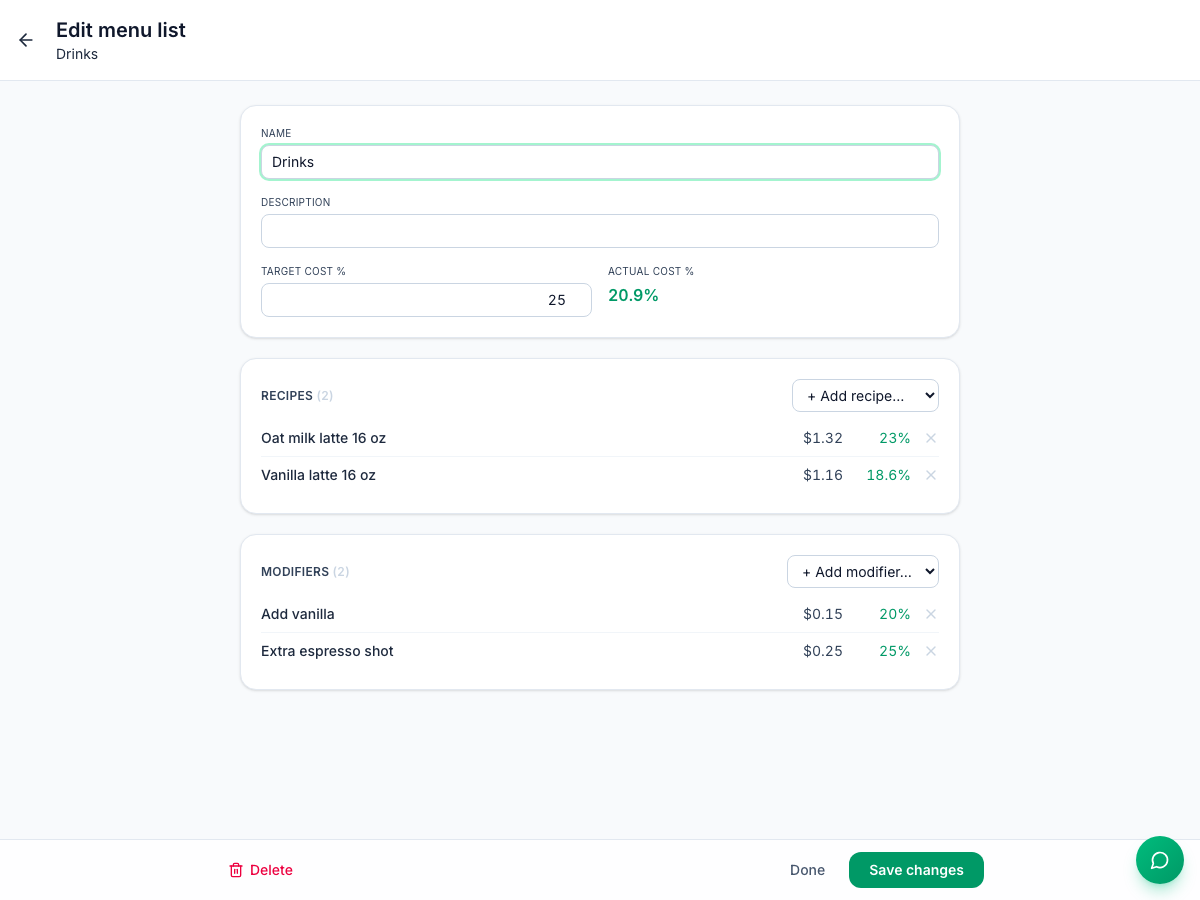
Actual % is the list's blended cost: the cost of everything in it, added up, divided by their serving prices added up. It uses this location's prices and is worked out each time you open the page. In the example, the two lattes and two modifiers in Drinks cost $2.88 together and sell for $13.75: 20.9%.
Create a menu list
- Click New menu list.
- Enter a Name, and if you like a Description and a Target cost %.
- Click Create menu list. The list opens so you can fill it.
- Under Recipes, pick a recipe in + Add recipe…. Add modifiers the same way under Modifiers. Each one is added straight away; × takes it out again.
- Click Done. If you changed the name, description or target, click Save changes first.
You can also pick a recipe's list on the recipe itself, in its Menu list box. A recipe or modifier is in one list at a time: adding it to another list moves it.
Who can change which lists
- A list created by an admin is shared with every location and marked corporate. Only admins can change it; managers see view only.
- A list created by a manager belongs to their location.
Modifiers
Modifiers are the add-ons and swaps you sell on top of an item: an extra shot, a pump of vanilla, oat milk instead of dairy. They're built like recipes, on their own page.
- Go to Inventory → Modifiers and click New modifier.
- Enter its name (the box is labelled Recipe name) and the Serving price $ you charge for it. Use 0 for a free swap.
- Add its ingredients with + Add item…, and set each one's Qty, Unit and Yield %.
- Click Save modifier.
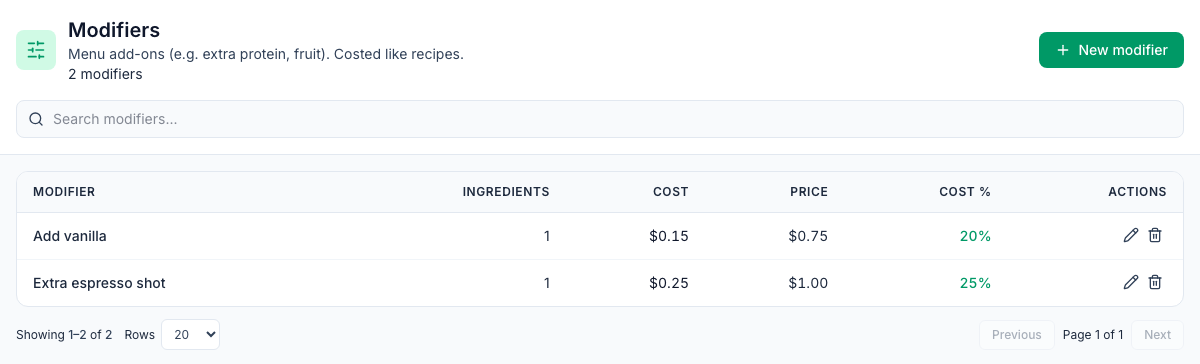
The page shows each modifier's Ingredients, Cost, Price and Cost %. Costs are worked out the same way as for recipes.
When they're sold: map your POS modifiers to them on the Modifiers tab of Inventory → POS. Each night, a mapped modifier's ingredients come out of stock once for every item it was added to: two lattes with an extra shot use two shots. See POS mapping and automatic depletion.
Good to know
- A free swap still has a cost. A modifier with a $0 price adds its cost but nothing to the price, so it raises its menu list's Actual %.
- Modifiers only add ingredients. They can't take out what the item's own recipe uses, so oat milk instead of dairy takes out the oat milk and the recipe still takes out its milk.
- Deleting a menu list asks Delete "Drinks"? Members will be unassigned. The recipes and modifiers in it aren't deleted; they just leave the list. It can't be undone.
- Deleting a modifier works like deleting a recipe: it stays in the list, dimmed, can't be switched back on, and keeps its POS mapping. See Recipes and plate costing.
- Menu lists don't change stock or orders. They're for comparing costs.