The Reviews page lists your Google Maps reviews for every location. Filter the low-rated or unanswered ones, and reply without leaving Mays: your reply is posted on Google.
Who: admins, and managers for the locations they manage. In a custom role, these are the View Google Business reviews and Reply to reviews permissions. Reviews are part of the Basic and Pro plans and the free trial, on the web app only.
Before you start: an admin connects Google Business Profile, and Mays support links each location to its Google listing. Until a location is linked, its reviews don't come in. See Connecting Google Business Profile.
Find reviews
- Click Reviews in the sidebar.
- Narrow the list:
- Search reviewer or comment... finds a name or a word.
- The locations list shows one location, or All locations.
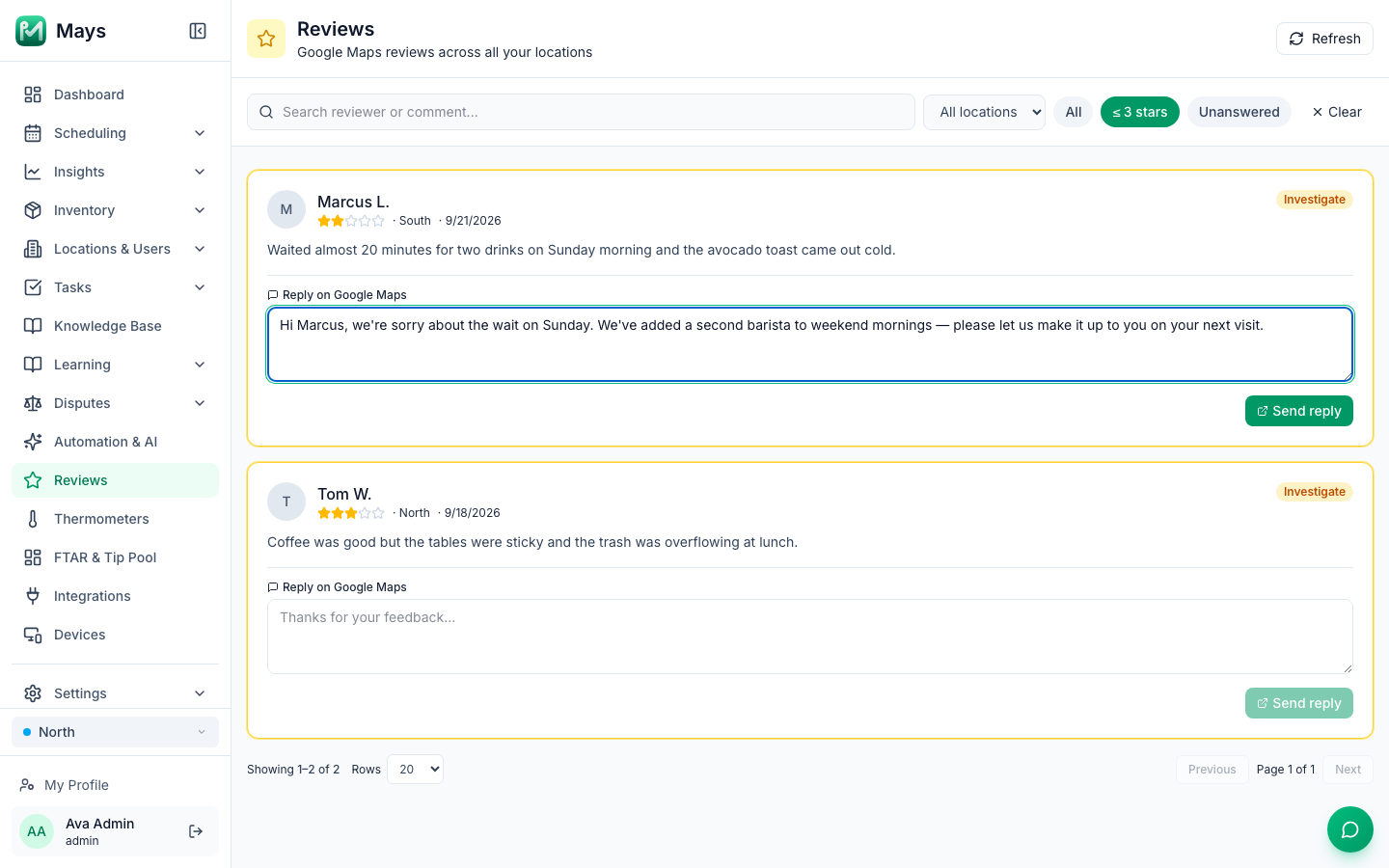
- ≤ 3 stars shows reviews of 3 stars or less; Unanswered shows reviews without a reply. All shows everything, and Clear resets the filters.
- Scroll through the pages at the bottom. Choose 20, 50 or 100 reviews a page.
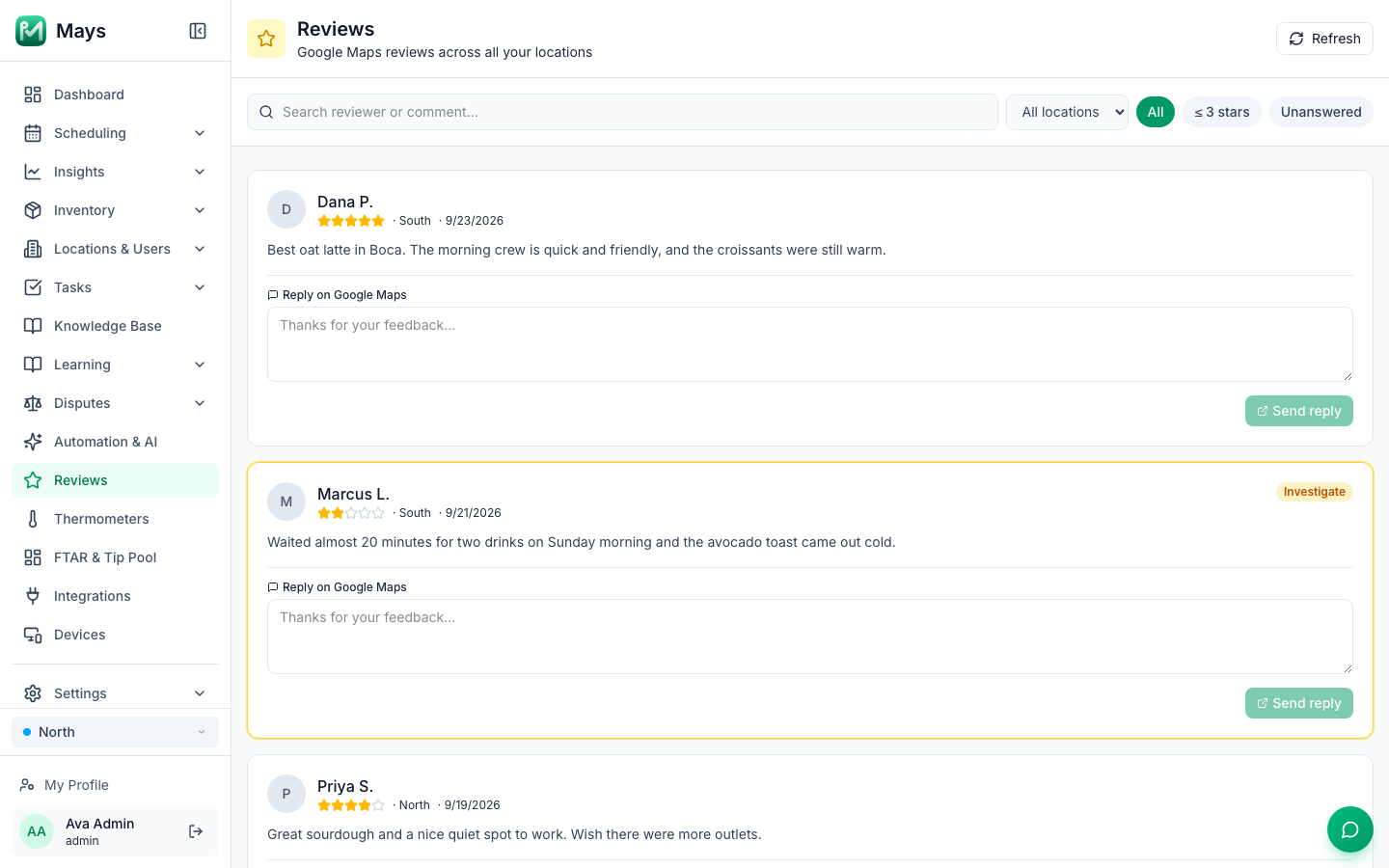
Each review shows the reviewer's name (or Anonymous), the stars, the location, the date and the comment. A review of 3 stars or less has a yellow border and an Investigate badge. The badge is only a marker; it doesn't create a task.
Reply to a review
- Type your reply in the Reply on Google Maps box.
- Click Send reply. Mays posts it on Google Maps as the owner's reply.
Once a review has a reply, the box says Your reply (edit to update on Google) and shows Last replied with the date, and who sent it from Mays. To change the reply, edit it and click Update reply.
- A reply can be up to 4,096 characters.
- Replies made on Google directly show up here too, after the next sync.
- You can't delete a reply from Mays. Do that on Google.
- There's no AI draft: you write each reply yourself.
When the reply is posted, a message says Reply posted to Google. If it doesn't go through, a message says why, for example that the location isn't connected to Google Business. Your text stays in the box so you can try again. If it keeps failing, write to Mays support. See Getting help and support tickets.
Low-rated reviews
Connecting Google Business Profile adds an automation, Investigate low-rated review. It's meant to create a task for reviews of 3 stars or less, but it doesn't fire at the moment. Until it does, check ≤ 3 stars and Unanswered regularly, or make your own rule with the Review Received trigger and a Review Rating condition. Your own rule can be limited to some locations under Where this rule runs; it then runs only for reviews of those locations. See Automation triggers and actions.
Good to know
- New reviews come in every 15 minutes for linked locations. Refresh reloads the page; it doesn't fetch new reviews from Google.
- Only the 50 newest reviews are listed.
- Reviews deleted on Google stay in Mays.
- Photos that reviewers add aren't shown.
- Dates are in your computer's time zone.
- Mays has no reviews screen in the iPhone and Android apps.