Items are what you count, order and cost: a carton of oat milk, a pound of espresso, a sleeve of cups. Each has a count unit, other units such as a case, and vendor prices.
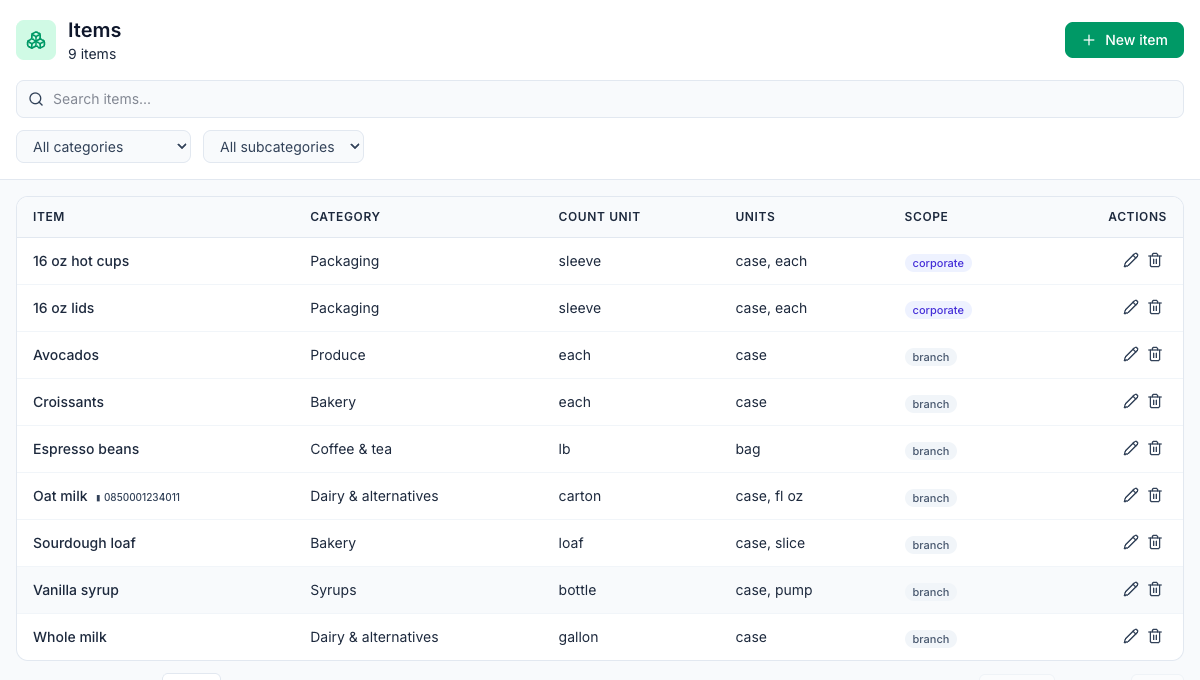
Where: Inventory → Items on the web. The list shows each item's Category, Count unit, other Units and Scope, with a search box and category filters.
Add an item
- Click New item.
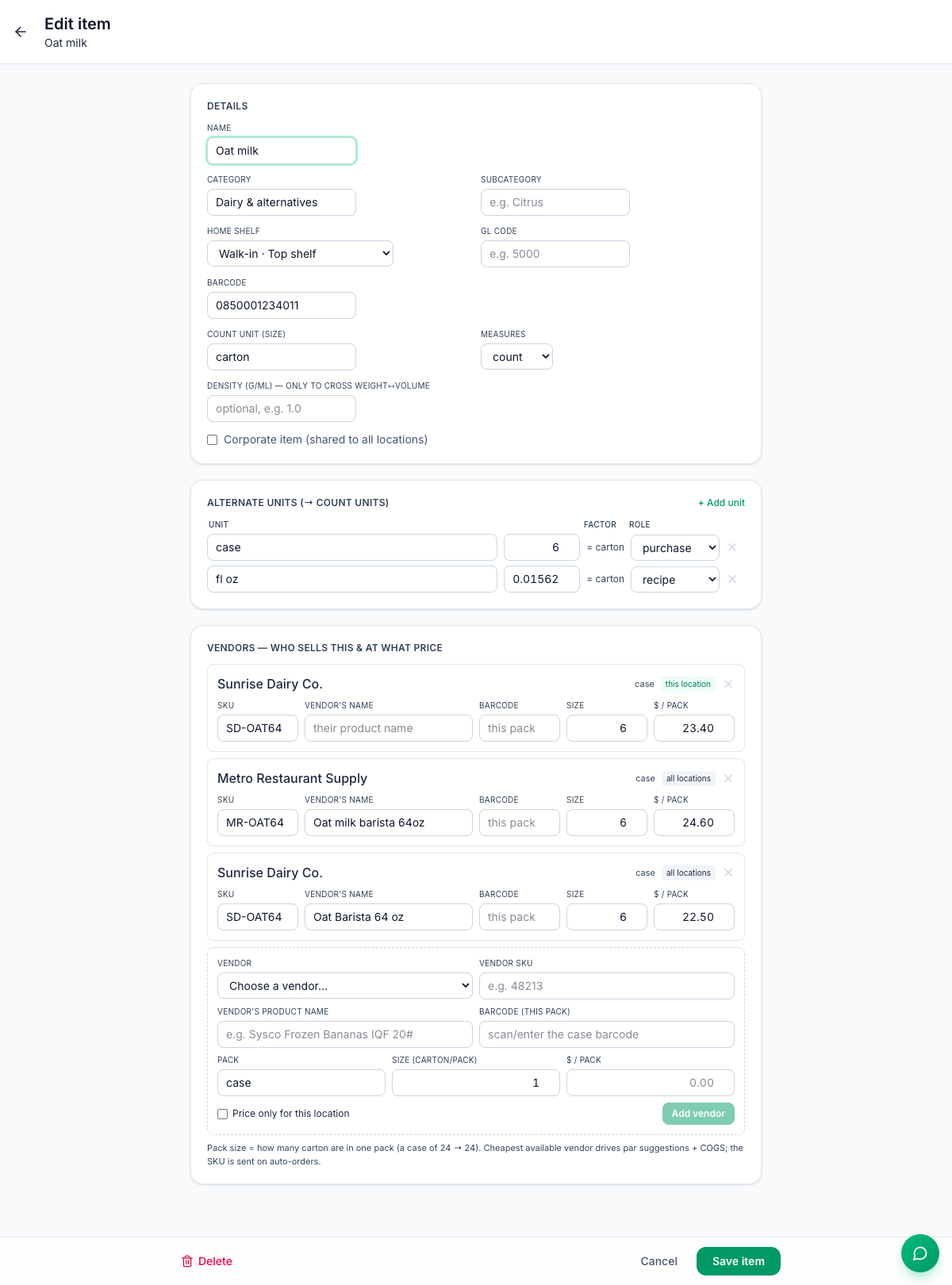
- Under Details, fill in:
- Name, Category (pick one or type a new one) and Subcategory.
- Home shelf: the shelf it lives on, for counting shelf by shelf in the app.
- GL code, if your accountant uses them, and Barcode, the code printed on the item itself.
- Count unit (size): the unit you count it in on the shelf, such as carton, lb or sleeve.
- Measures: count, weight or volume.
- Admins only: tick Corporate item (shared to all locations) to make it available everywhere. Otherwise the item belongs to the location you're on.
- Add other units under Alternate units (see below).
- Click Save item. The Vendors section appears once the item is saved.
Count units and other units
Everything Mays stores for an item is in its count unit: what's on hand, counts, par levels, orders and what recipes use. Other units are converted to it.
Under Alternate units (→ count units), click + Add unit and enter:
- Unit: its name, such as case.
- Factor: how many count units one of it equals. A case of six cartons is 6.
- Role: purchase (how you buy it), recipe (how recipes measure it) or other.
Item | Count unit | Alternate units |
|---|---|---|
Oat milk | carton (64 fl oz) | case = 6 · fl oz = 0.015625 |
16 oz hot cups | sleeve of 50 | case = 20 · each = 0.02 |
Sourdough loaf | loaf | case = 6 · slice = 0.05 |
Standard measures convert on their own: g, kg, oz, lb, ml, l, fl oz, gal, qt, pt, cup, tbsp, tsp and each. An item counted in lb can go into a recipe in g or oz with no extra unit. To go between weight and volume, fill in Density (g/ml).
Case size. The app's count buttons (+ 1 case) use a purchase unit called case. With no such unit, Mays uses the largest purchase unit, then the largest vendor pack.
Add vendor prices
In the saved item's Vendors section:
- Choose the Vendor.
- Fill in the Vendor SKU, the Vendor's product name and the Barcode (this pack) if the case has its own barcode.
- Enter the Pack (such as case), its Size in count units and the $ / pack.
- Tick Price only for this location if this location pays a different price.
- Click Add vendor.
Edit a price in place and click away to save it, or click × to remove it.
Which price Mays uses: the cheapest price per count unit. For each vendor, a price for this location beats the price for all locations. Posting an invoice saves the invoice price as this location's price for that vendor. See Vendor invoices.
Importing from Craftable: a corporate item's vendor prices are imported for all locations, so every location can order it. A location-only item's prices are imported for the location the import is set up for.
Set par levels
A par level is the amount you want on hand before the next delivery. Orders are built from it. See Placing purchase orders.
- Go to Inventory → Stock (under Analysis).
- Type a number in the item's Par (reorder point) box and press Enter. Leave it blank for no par.
Rows below par are shaded, and Below par only filters to them.
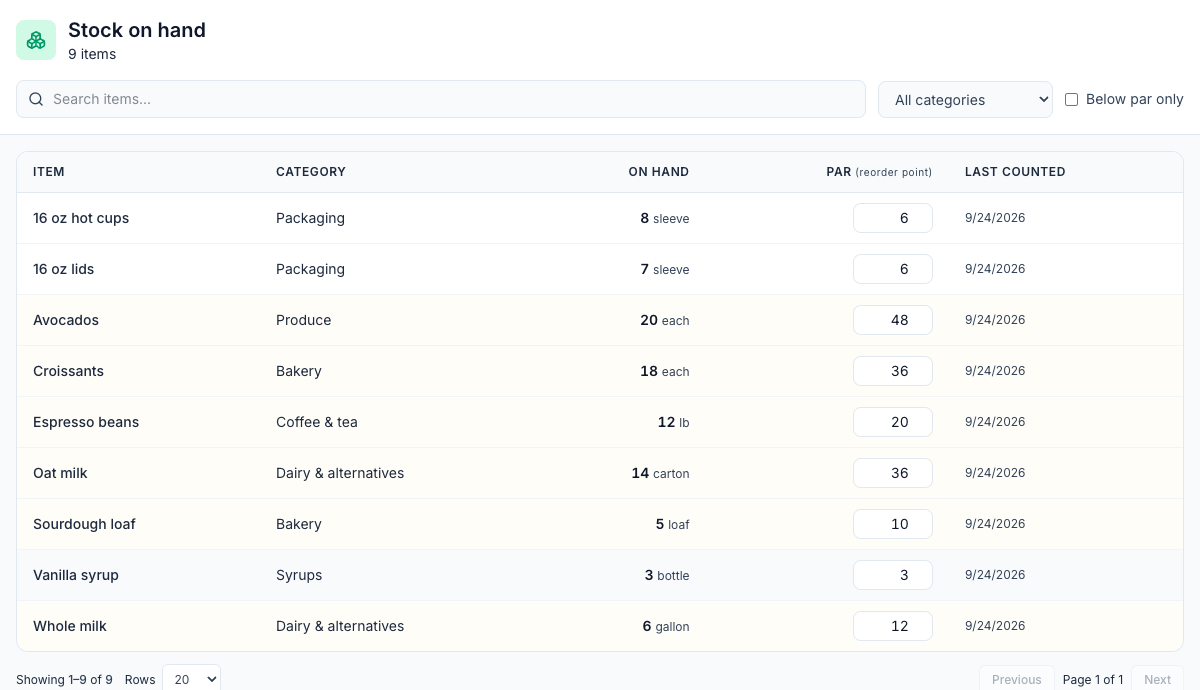
An item appears on Stock once something has set its stock: a count, a delivery, waste or a sale.
Good to know
- Managers can add and edit items for their locations, and set prices with Price only for this location ticked. Corporate items show view only for them. Prices for all locations are admin-only: without the tick, a manager's price isn't saved.
- Changing an item's count unit doesn't convert its numbers. If you switch from case to each, recount the item.
- Deleting an item removes it from lists, pickers and counts. Its history stays, but it can't be brought back on the web.
- Two barcodes: scanning the item's Barcode in the app adds one count unit; scanning a vendor pack barcode adds a whole pack (not in Guided mode on iPhone). See Counting inventory in the app.