Quizzes earn points, levels and badges. Locations compete on a weekly and monthly leaderboard, winners go on the wall of fame, and admins can note the prize they gave.
Points and badges are part of the Pro plan, alongside Learning, and the Mays team switches them on for your organization. Without them, quizzes work the same, but there's no points card on Profile and the leaderboard stays empty. (The result screen after a quiz still shows points and badges.)
How points are earned
When | Points |
|---|---|
Each correct answer | 10 |
Every answer in a quiz correct | 50 bonus |
Passing a module | 100 |
7 days in a row with a quiz | 50 |
30 days in a row with a quiz | 200 |
Points stop once you've passed a module: it can't be taken again. Until then, correct answers earn points even on an attempt you don't pass.
The result screen after a quiz shows +… pts earned. It doesn't include the 50-point bonus for a perfect score, which is still added to your total.
Your points, level and badges (app)
Open Profile (your picture, top left). The card at the top shows Your points, your level and how many points you need for the next one, and your streak. Your Badges are listed underneath.
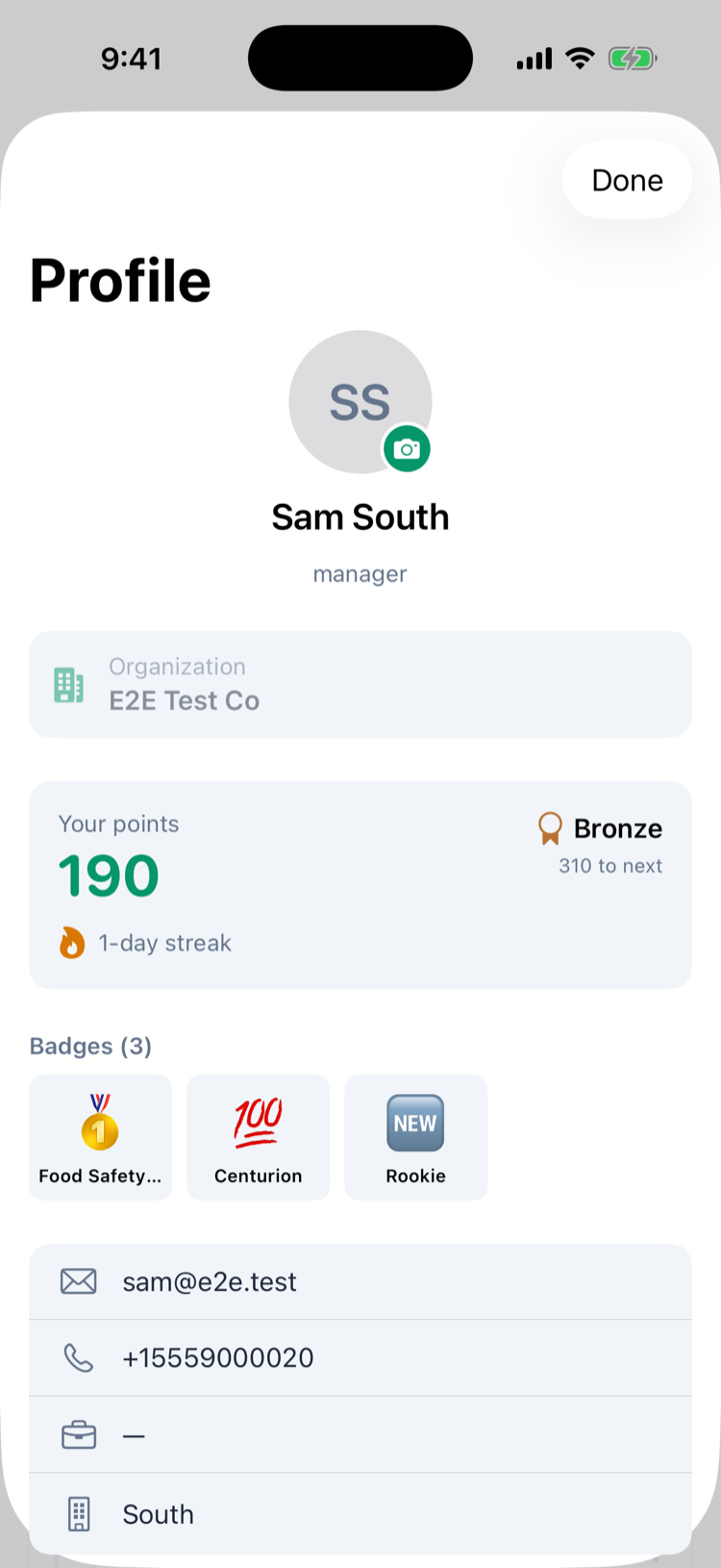
Level | Points |
|---|---|
Bronze | 0 to 499 |
Silver | 500 to 1,999 |
Gold | 2,000 to 4,999 |
Platinum | 5,000 and up |
A streak counts the days in a row on which you finished at least one quiz. Days run from midnight to midnight UTC (8 p.m. to 8 p.m. Eastern in summer), so a quiz at 9 p.m. Eastern counts for the next day.
Badges
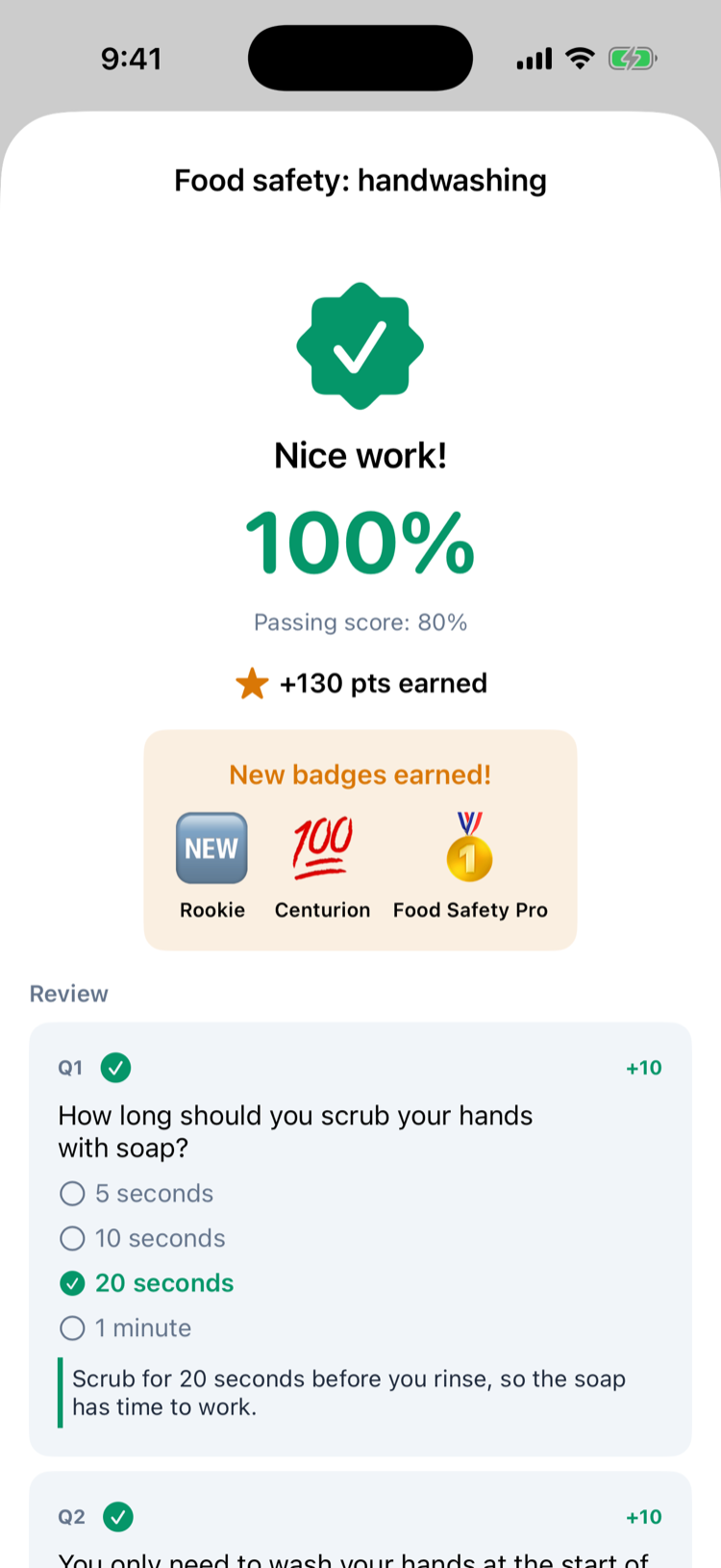
New badges show on the result screen right after the quiz that earned them.
Badge | How to earn it |
|---|---|
🆕 Rookie | Pass your first module. |
🥇 Food Safety Pro | Pass a module with food safety in its title. |
🎯 Sharp Shooter | Answer 50 questions correctly. |
🔥 Hot Streak | Take quizzes 7 days in a row. |
🌋 On Fire | Take quizzes 30 days in a row. |
💯 Centurion | Reach 100 points. |
🏆 Thousand Club | Reach 1,000 points. |
The badge list is the same for every company; you can't add your own.
The location leaderboard
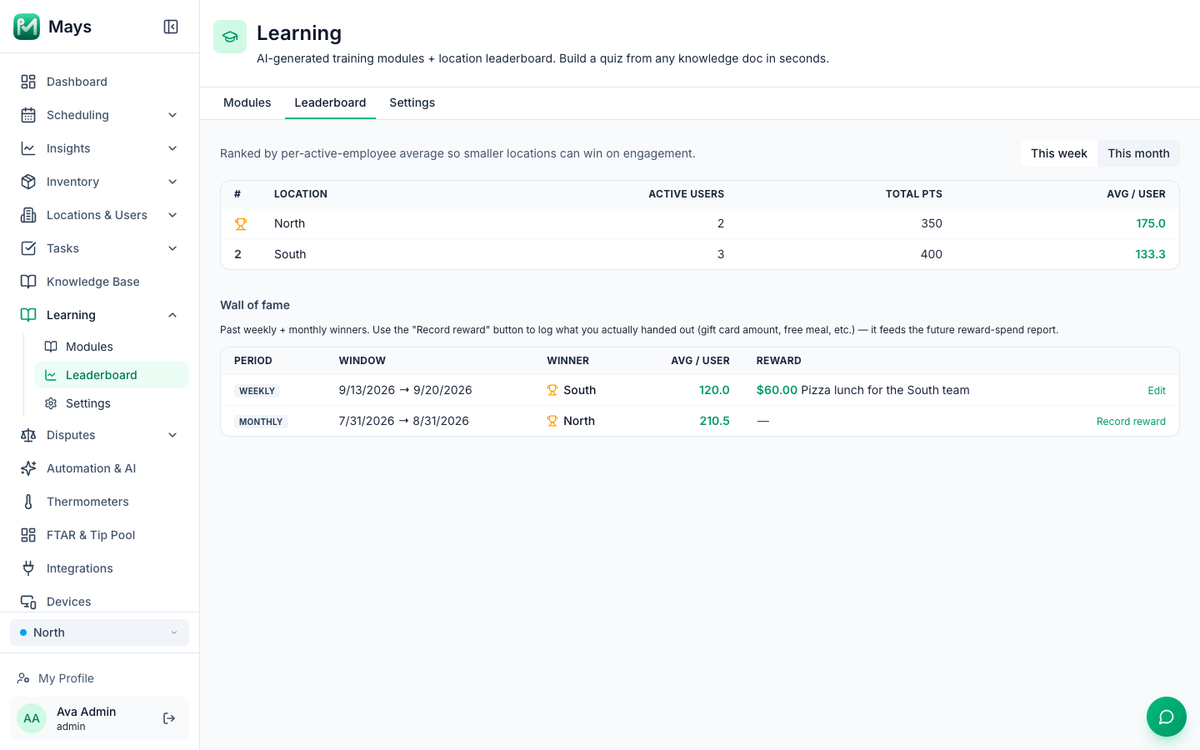
Locations are ranked by the average points per active person: the points earned there, divided by the number of people who earned any. A small store can beat a big one.
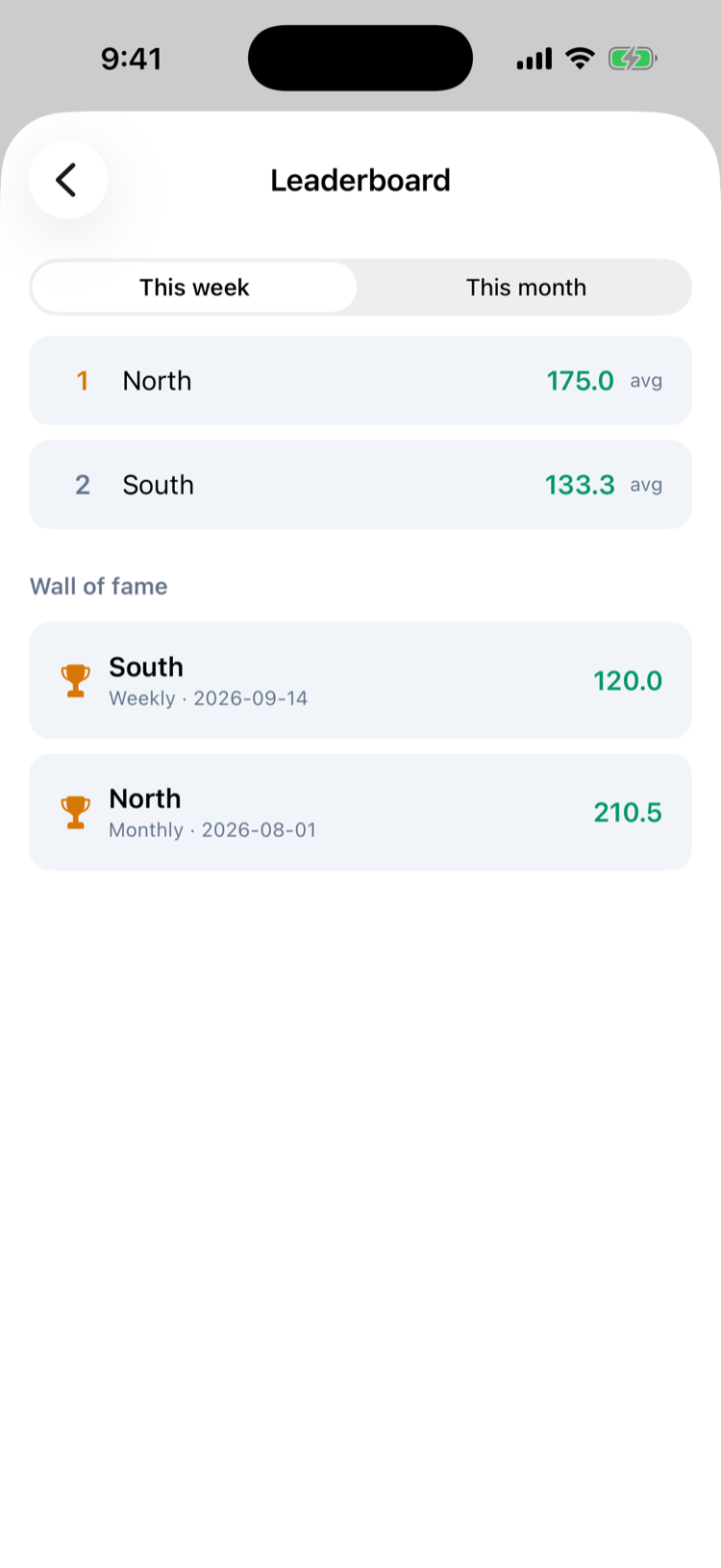
- In the app: Profile → Learning → Branch leaderboard. Switch between This week and This month. The wall of fame is listed below.
- On the web (admins): Learning → Leaderboard, with Active users, Total pts and Avg / user for each location, and the Wall of fame below.
A week runs Monday to Sunday and a month is a calendar month, both counted in UTC: the new week starts at 8 p.m. Eastern on Sunday in summer. Someone who works at several locations earns points for one of them only, normally the first one they were added to.
The wall of fame and prizes
After each week and month, Mays records the winning location on the Wall of fame and sends everyone there a notification: 🏆 You won this week! with the average. A period in which nobody earned points is listed as No activity.
To keep track of prizes, admins click Record reward next to a win on the web, enter an Amount (USD, optional) and a Note, such as Pizza lunch for the South team, and click Save. Edit changes it later. Recording a reward doesn't send anything or pay anyone; it's a note for you.
Good to know
- Only quizzes earn points. Tasks and checklists don't, whatever the plan.
- Points can't be edited or taken away, and they stay when a module is deleted.
- Managers see the leaderboard in the app like everyone else. On the web, Learning is for admins only.
- Dates on the wall of fame: the web lists each period's first and last day (Sep 14, 2026 → Sep 20, 2026 for a week); the app shows the day it started (Weekly · Sep 14).