Your training modules are under Profile → Learning in the Mays app. Answer one question at a time, see your score, and learn from the explanation under each answer.
Find your modules
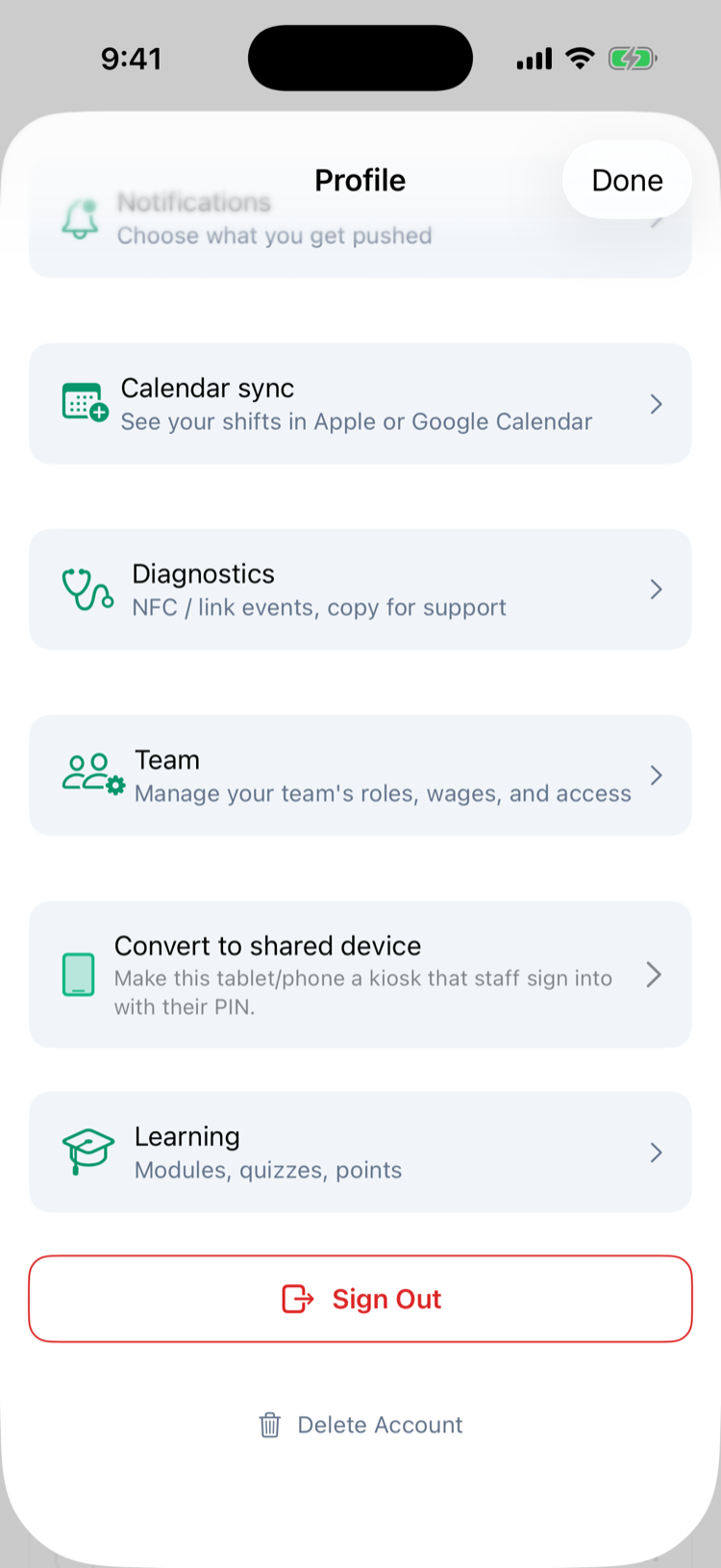
- Tap your picture in the top-left corner to open Profile.
- Scroll down and tap Learning (Modules, quizzes, points).
Learning only shows when your company uses training. Under Assigned to you you see every module you've been given, with how many questions it has (3 Q), its due date if it has one (due Oct 9) and, once you've taken it, your last score in green (passed) or red (not yet).
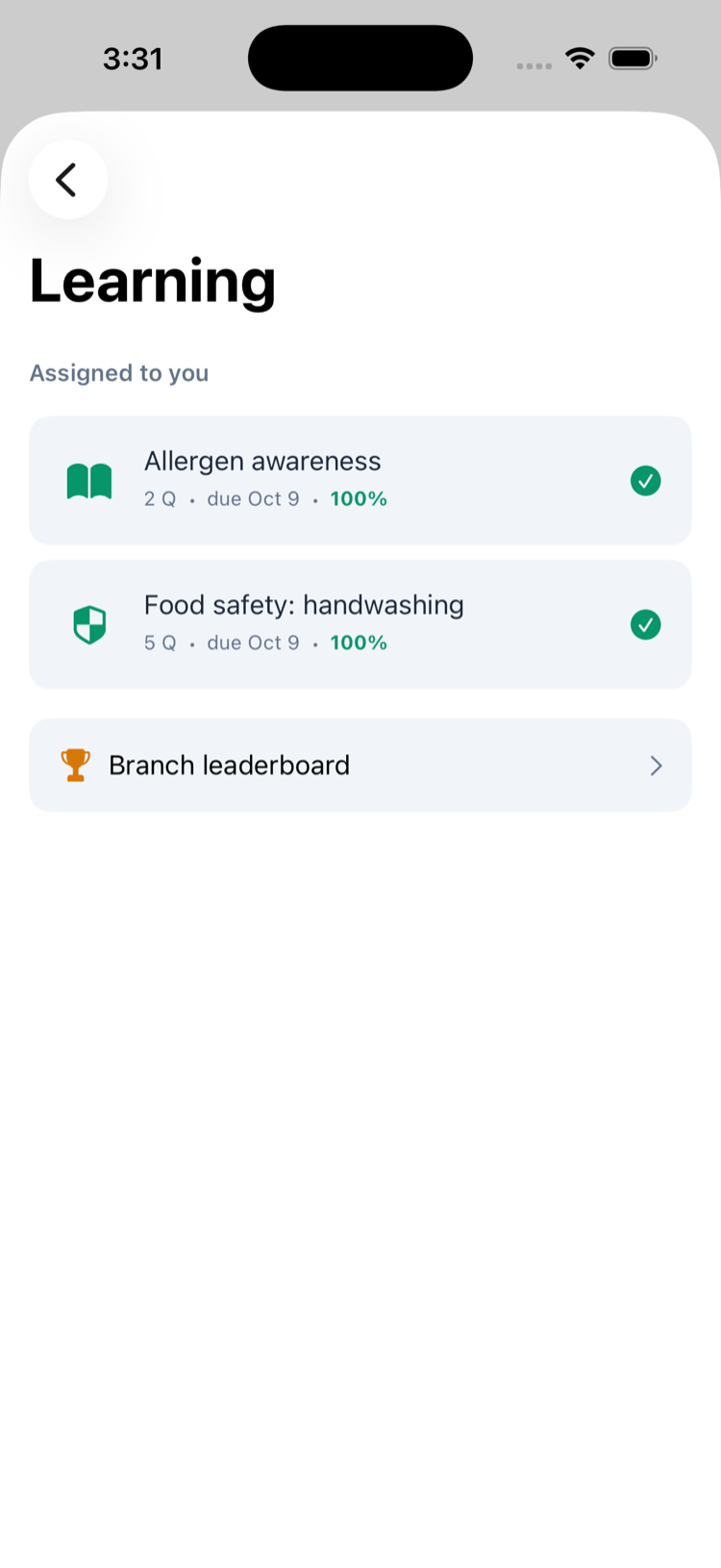
A shield icon (iPhone) marks a module that gives you a certificate when you pass. See Training certificates.
No modules assigned yet. means your manager hasn't given you any training, or it hasn't been published yet.
Take the quiz
- Tap a module.
- Read the question and tap your answer. Your first tap counts: you can't change it, skip a question or go back. The next question comes up by itself.
- After the last question, your result appears.
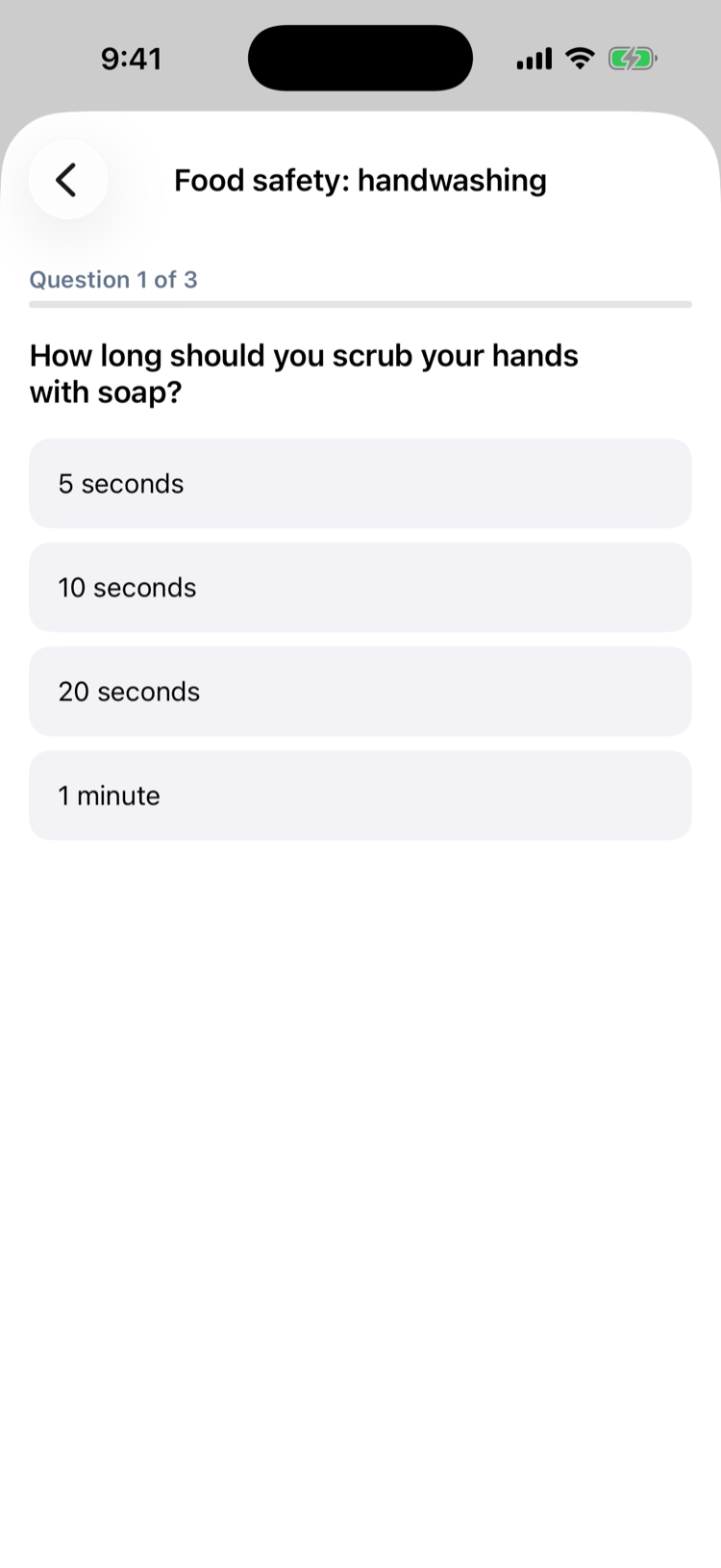
Finish in one go if you can. To stop part-way, tap the back arrow on iPhone, or ✕ (or the back button) on Android. Nothing is saved: the quiz stays in your list and starts again from the first question next time.
Your result
- Nice work! if you reached the passing score (80% unless your company set another), Try again later if you didn't.
- Your score and the Passing score.
- The points you earned and any new badges, if your company uses points. See Points, badges and leaderboards.
- Download certificate, if the module gives one and this is your first pass.
- Review: every question with your answer and the right one, and a short explanation of why. On a compliance module (the shield on iPhone) that you didn't pass, the result says You'll see the right answers once you pass. and a question you got wrong shows only your answer and Right answer shown once you pass.
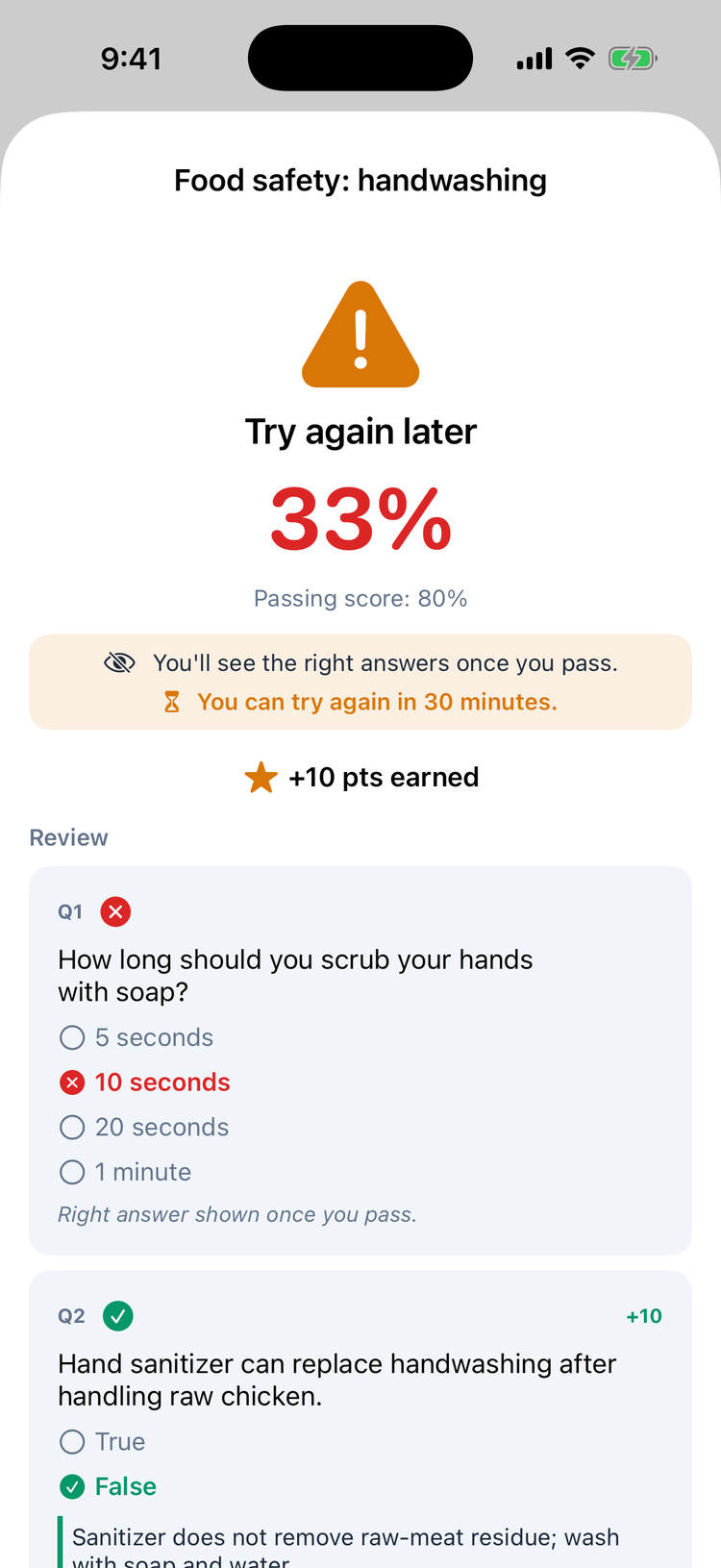
Tap Done to go back to your list.
Good to know
- Didn't pass? Tap the module and take it again. On a compliance module you wait 30 minutes after a try you didn't pass, and you get 3 tries a day. The module shows You can try again in 24 minutes. or 3 of 3 attempts used today — ask your manager to reset. Your company can change both limits. Other modules have no limit.
- Passed modules show a green tick and can't be taken again.
- Due dates: a module with a due date shows it next to the question count, for example 3 Q · due Oct 10.
- Pop quizzes: during a shift you may get a Pop quiz notification for a module you haven't passed. Tapping it opens that module's quiz. Tap Close (iPhone) or ✕ (Android) to leave it for later. See Snap quizzes.
- You need a connection to start and to finish a quiz.
- The questions come from your company's own SOPs in the knowledge base. To read up first, open the Knowledge tab (KB on Android). See Your knowledge base.