Set up each location's zones and shelves and give each item a home shelf, so your team can count shelf by shelf in the Mays app, in the order they walk the store.
Where: Inventory → Shelves on the web (the page is called Shelves & bins), for the location picked in the sidebar. Admins, and managers at their own locations.
Add shelves
- Type a Zone (optional), such as Walk-in or Dry storage. Zones you've already used are suggested as you type.
- Type the Shelf / bin name, such as Top shelf.
- Click Add shelf, or press Enter.
Shelves are grouped under their zone. Shelves without a zone are under No zone.
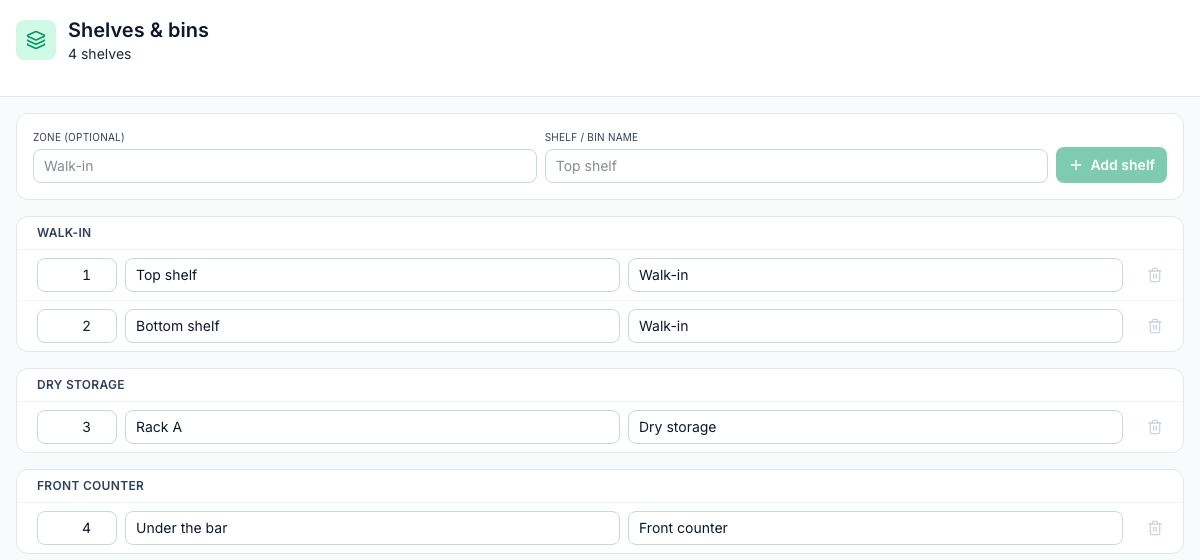
Reorder, rename or delete a shelf
Each shelf has three boxes: its order number, its name and its zone. Change one and click away to save it.
- Order: shelves are listed, and offered in the app, from the lowest number up. Number them in the order you walk the store. A new shelf goes to the end, and zones appear in the order of their first shelf.
- Move a shelf to another zone: type that zone's name in its zone box.
- Delete: click the bin icon and confirm Delete shelf "Top shelf"?
Give items a home shelf
- Open the item under Inventory → Items.
- Pick its Home shelf, such as Walk-in · Top shelf.
- Click Save item.
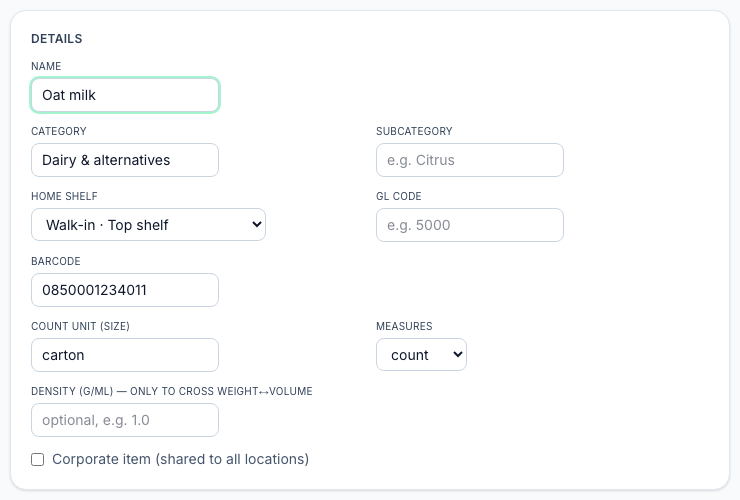
Items shared with all locations (Corporate item (shared to all locations)) can't have a home shelf, because shelves belong to one location.
Count shelf by shelf
In the app, a Guided count uses these shelves. Pick the shelf you're standing at, and the items whose home shelf it is are marked On this shelf. You can still count any item on any shelf; when you submit, the counts from every shelf are added together. See Counting inventory in the app.
Good to know
- Each location has its own shelves. Pick another location in the sidebar to set up that store.
- Deleting a shelf takes it out of the list and out of counts in the app. Items that lived on it are no longer marked On this shelf; give them a new home shelf.
- Shelves don't hold their own stock. On hand is one total per item for the location, however many shelves you counted it on. See Stock on hand.
- Counting on the web doesn't use shelves. Its Storage filter, like the one in the app's Quick mode, uses storage names brought in by an import, not these shelves. See Running stock counts.