Build prep lists for each location, such as AM Prep, with a target for each line. Mays compares the targets with what's on hand and shows how much to prep today.
Where: Inventory → Prep on the web (the page is Prep Sheets), for the location picked in the sidebar. Admins, and managers at their own locations.
Create a prep sheet
- Click New sheet, type a Sheet name such as AM Prep, and click Create. The sheet opens in Manage.
- Click Add line for each thing to prep, and fill in:
- Kind: Item for something you stock and count, or Recipe for something made from one of your recipes;
- Recipe / Item: search for it and pick it;
- Target qty: how much you want ready, your prep par;
- Unit: for an item, leave it empty to use the item's count unit (shown in grey).
- Use ⋮ on a line to Move Up, Move Down or Remove it.
- Click Save sheet.
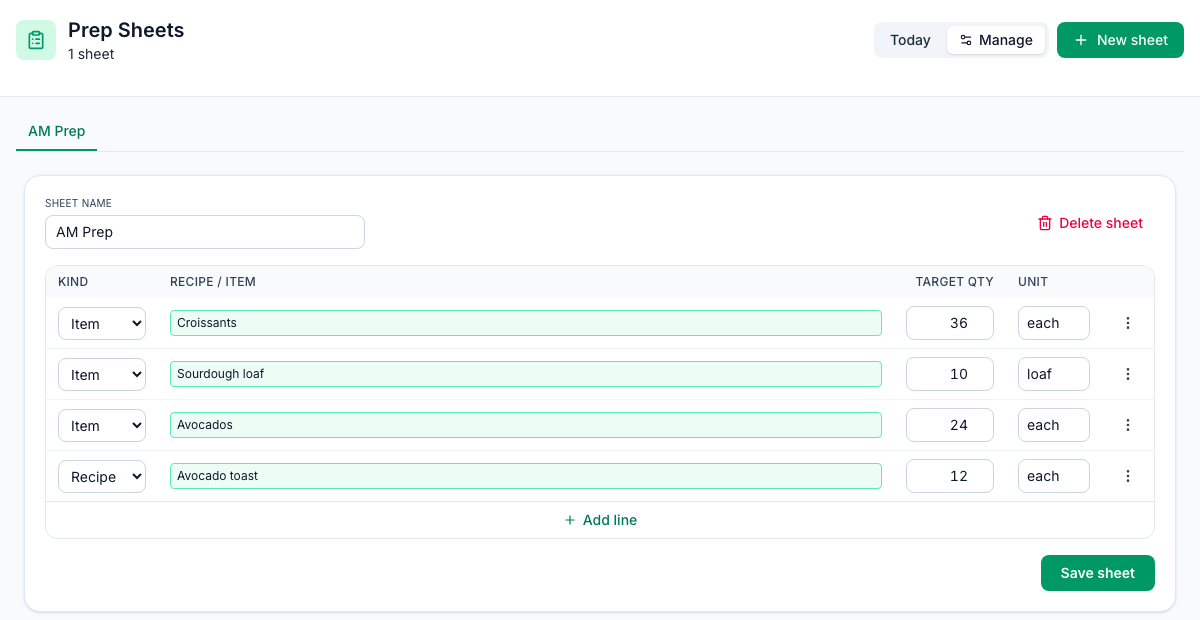
Each sheet is a tab at the top of the page. Delete sheet removes the open one.
See how much to prep today
Click Today and pick the sheet's tab.
Column | What it shows |
|---|---|
Target par | The target you set. |
On hand | This location's current stock of the item, in its count unit. Recipe lines show —. |
Suggested | The target minus what's on hand, never below zero. A recipe line always suggests its full target. |
In the example, the target is 36 croissants and 22 are on hand, so the sheet suggests 14.
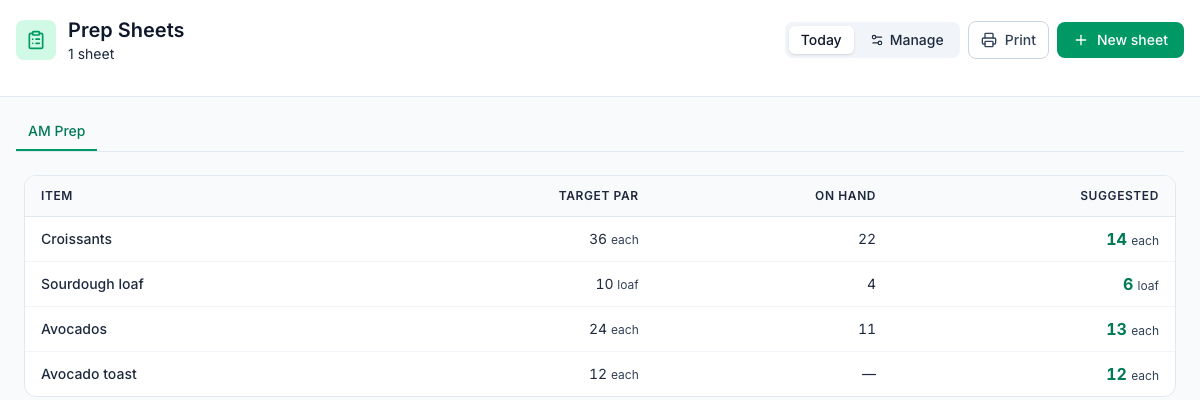
Click Print to print today's list with the sheet's name and today's date.
Good to know
- The suggestions are only as good as your last count. On hand is your last count plus deliveries, minus waste and sales since. Count before you prep. See Running stock counts and Stock on hand.
- Use the item's count unit for item lines. On hand is always in the count unit and the target isn't converted, so a target typed in another unit, such as case, gives a wrong suggestion.
- Recipe lines don't know what's left. Mays doesn't keep stock of things you make, so a recipe line always asks for its whole target.
- Prepping doesn't change stock. Printing or finishing a sheet doesn't take ingredients out or add anything, and there's nothing to tick off in Mays.
- Prep sheets belong to one location and are on the web only.