The AI Assistant in the app's Chat tab answers your team's questions from your knowledge base: "How long do we hold soup?", "What's the float in the safe?".
It works in the iPhone and Android apps. Mays AI on the web doesn't read the knowledge base; it answers questions about your operations instead (see Asking Mays AI on the web).
Get your content ready
There's nothing to switch on. Everything you add to the knowledge base is prepared for the AI automatically.
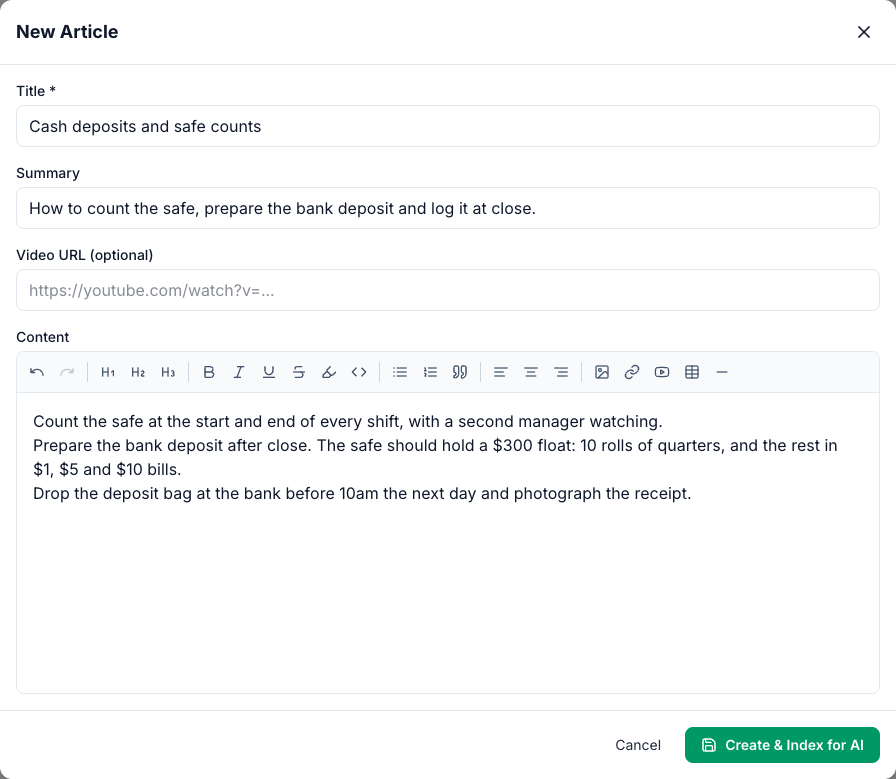
- Articles: when you save an article, the button says Create & Index for AI or Update & Index for AI. Saving is all it takes.
- Documents: after an upload or an import, Mays reads the file in the background. PDFs with text, Word files, TXT, CSV and Markdown are read as they are. For pictures (JPG, PNG, WebP, HEIC), Mays reads the text in the photo.
- Deleting an article, a document or a folder removes it from the AI Assistant too. Deleting a folder also removes everything in the folders inside it.
Index all for AI is the magnifying-glass button at the far right of the knowledge base's top bar (the tooltip says Index all for AI). It prepares every article in your company again, and says Knowledge base indexed when it's done. Use it if the AI Assistant doesn't seem to know an article you've edited. It doesn't re-read documents, but it does bring who can get answers from each document back in line with its folder. Only people whose role can Create / edit / delete articles can use it.
Ask a question
- In the Mays app, open Chat and tap +.
- Tap AI Assistant (Start a new AI chat).
- Type your question, for example What float should the safe have at close?
The AI Assistant looks for the parts of your articles and documents that match the question and answers from them, in the language you wrote in, even if the article is in another language. See The AI Assistant in chat.
Who gets which answers
The AI Assistant answers each person only from what they can open in the knowledge base:
- An employee gets answers from what's shared with everyone, their location, their role or them.
- A manager also gets answers from what's shared with managers.
- Admins get answers from the whole knowledge base.
So keep manager-only material (cash handling, HR notes) in a folder shared with Managers, not with everyone. See Who can see what in the knowledge base.
When nothing matches
If no article or document fits the question closely, the AI Assistant reads through all the articles the person can open and answers from those. If your knowledge base has nothing on the subject, it answers from general knowledge. It doesn't link to the article it used.
For anything that matters (allergens, temperatures, cash), write it down in an article, and tell your team to check the article when an answer looks wrong.
AI credits
- Each answer uses AI credits from the balance of the asker's location. It shows as Chat under Usage by Feature. A short answer uses a few credits; a long conversation or a photo uses more.
- Saving articles and Index all for AI don't use credits. Reading the text in an uploaded photo can (Document Ocr).
- When the location runs out of credits, the AI Assistant replies that it can't answer.
See AI credits.
Good to know
- The knowledge base needs your plan. It's in Basic and Pro (and the free trial). Without it, the AI Assistant still answers, but not from your knowledge base.
- Scanned PDFs (pictures of pages with no text in them) can't be read and disappear from the folder. Upload a photo of the page, or the original Word file, instead.
- Managers only on older folders. The Managers only switch on an older folder applies to the AI Assistant's answers straight away, and so does moving an article or document to another folder. An older folder tied to a location only answers people at that location.
- The web knowledge base search only matches names in the folder you're in. To search inside articles and documents, ask the AI Assistant.