In Wisconsin, each tipped employee confirms the tips Mays recorded for them at the end of every pay period, in the Mays app. Managers see who hasn't confirmed yet, send a reminder, or enter a declaration for someone, with a note.
Why: Wisconsin's rule says that to count tips toward the minimum wage (a tip credit), the employer must have "a tip declaration signed by the tipped employee each pay period" (Wis. Admin. Code DWD 272.03(2)(b)1). Declarations are part of Labor law compliance, which is off until an admin turns it on for your organization in Settings → Organization. Once it's on, every location whose address is in Wisconsin collects them, unless an admin turns Tips off on the location's Labor & compliance card (see Labor & compliance). Locations in other states, or outside the US (by the location's time zone), don't get declarations. While it's off, no declarations are created and nobody is asked to confirm.
Not legal advice. Mays helps you comply by collecting and keeping the declarations. Check the official source for your own situation, for example if you don't take a tip credit.
When declarations go out
When a pay period ends (midnight at the location, in its time zone), Mays creates a declaration for each tipped employee who worked at the location in that period:
- anyone Mays recorded tips for: their share of the tip pool, or the tips on their own time punches when the location doesn't pool tips;
- anyone who worked a position marked Tipped, even with no tips recorded (they declare $0.00).
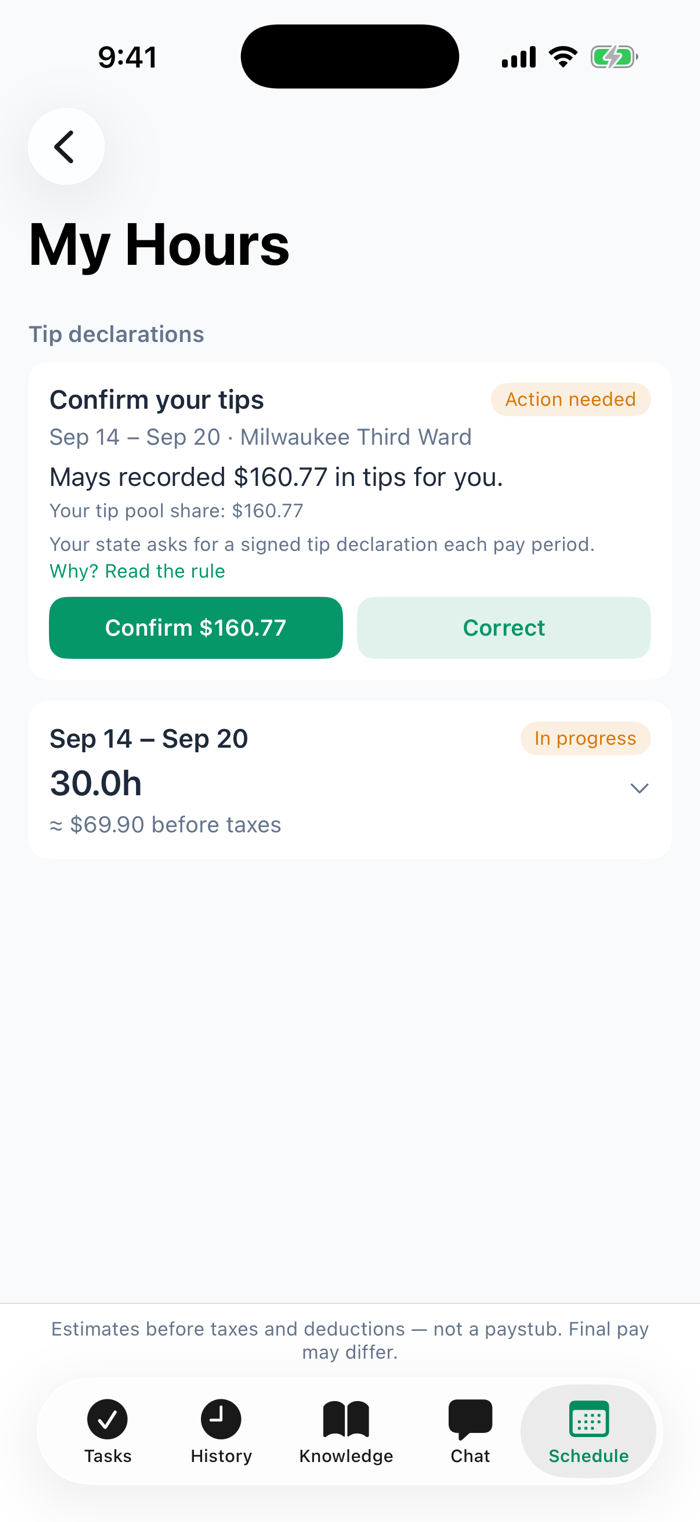
Managers and admins that the tip pool leaves out don't get one. Each person gets a push notification: "Mays recorded $160.77 in tips for you at Milwaukee Third Ward, Mon, Sep 14 – Sun, Sep 20. Confirm it, or correct it, in My Hours."
The figure is the one payroll uses: after any card processing fee deducted from card tips, and without the card surcharge, which is paid as wages, not tips.
For employees: confirm or correct your tips
- Open the notification, or go to Schedule → My Hours in the Mays app.
- At the top, Confirm your tips shows the pay period, the location and the tips Mays recorded, with where they came from (your tip pool share, or the tips on your time punches).
- If the figure is right, tap Confirm $160.77, then Confirm again. That signs your declaration for the period.
- If it's wrong, for example you also got cash tips, tap Correct. Enter the tips you received and a note saying what's different, then tap Send. The note is required.
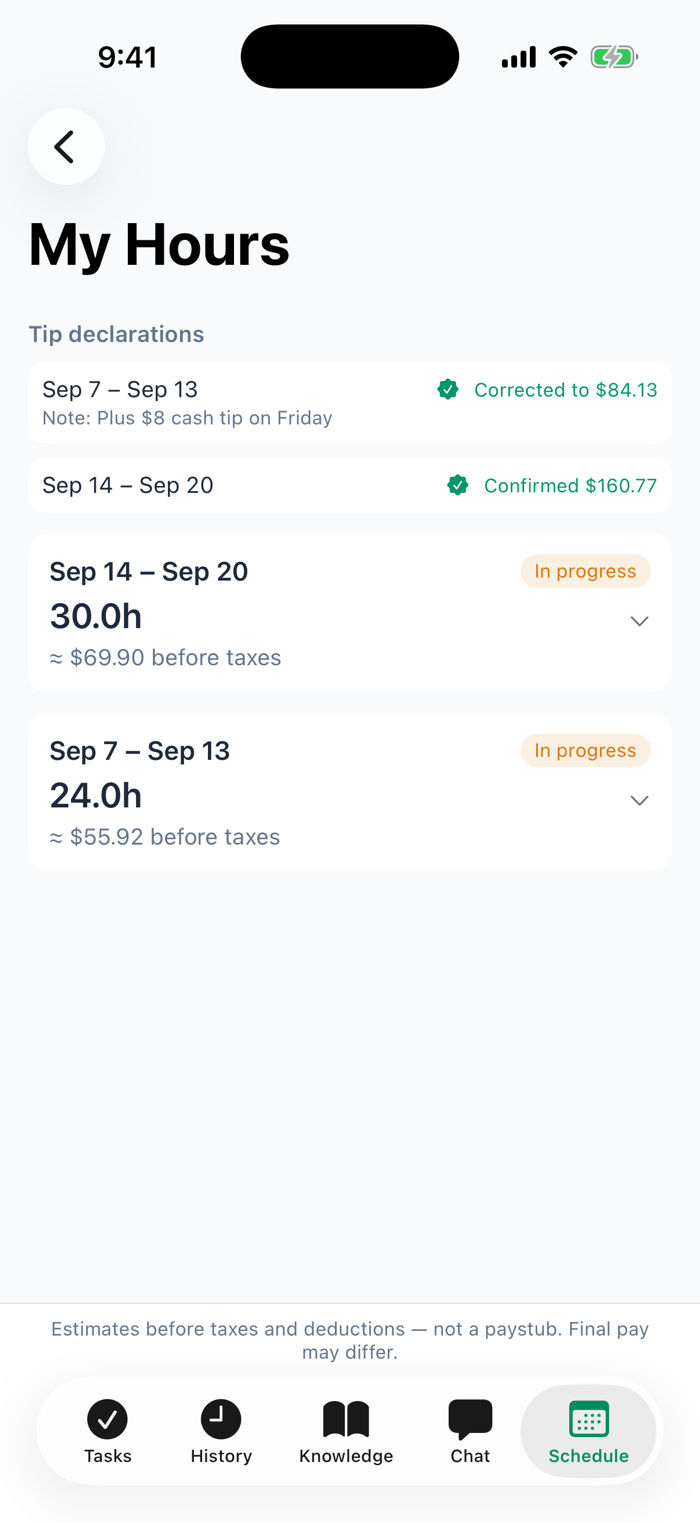
After you confirm or correct, the card is replaced by a line such as "Corrected to $84.13", with your note under it. You can't change it again yourself; ask a manager if it needs changing.
For managers: who has declared
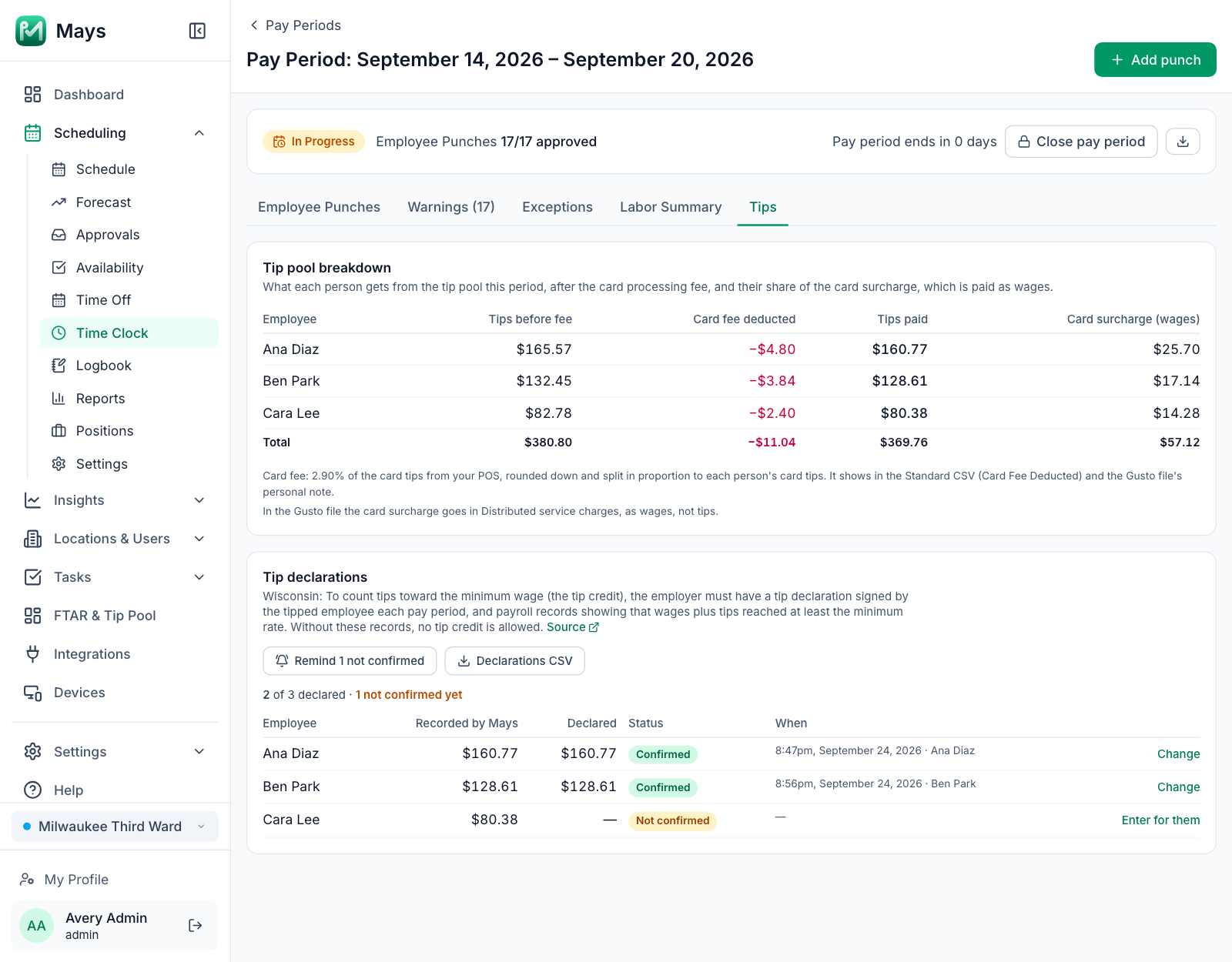
Go to Time Clock → a pay period → Tips. The Tip declarations section (Wisconsin locations only) lists each tipped employee with:
- Recorded by Mays and Declared: the two figures, side by side;
- Status: Not confirmed, Confirmed or Corrected, and the note when there is one;
- When: when it was confirmed and by whom, in the location's time zone, or when you last sent a reminder.
From here you can:
- Remind N not confirmed: pushes everyone who hasn't declared yet.
- Enter for them: for someone without the app, or who gave you a paper declaration. Enter the tips and a note saying why you're entering it. The note is required, and your name and the time are kept with it. On a row that's already declared, the button says Change.
- Declarations CSV: one row per person with both figures, the status, the note, when it was confirmed (location time) and by whom, and whether a manager entered it. Keep it with your payroll records.
The Standard CSV export of the pay period also gets two columns at the end, Tips Declared and Tip Declaration, when the period has declarations.
The Tips tab needs the Build & manage native schedule permission, like the Labor Summary, because it shows everyone's tips.
Good to know
- A declaration that is still waiting follows later edits: if a manager fixes a punch after the period ended, the recorded figure updates. A confirmed or corrected declaration never changes by itself.
- The confirmation is a tap in the app with a timestamp, not a handwritten signature. If you need paper, print the declarations CSV and have it signed.
- Mays doesn't know yet whether a location takes a tip credit, so every Wisconsin location collects declarations.